
7-Zip 22 is on 400 laptops, version 23 is out, and security wants the old one gone by Friday. Upload the new version and assign it, and you might end up with both on every machine. Win32 app supersedence tells Intune the new app replaces the old one, and dependencies make sure anything the app needs installs first.
Everything here leans on detection rules. If yours are shaky, read my post on Intune detection rules first, because supersedence trusts them completely.
Update or replace
Win32 app supersedence only works between Win32 apps. The new app can be a newer version of the same thing or a different app entirely. The Uninstall previous version toggle decides how it behaves.
- No, an update: Intune installs the new app on top. Whether the old one goes away depends on the new installer. Use this when the vendor's installer upgrades in place.
- Yes, a replacement: Intune uninstalls the old app first, then installs the new one. It does this even if the old app is not assigned to anyone anymore.
If a device never had the old app, it gets the new one. Company Portal only shows the newer app, so users do not see two versions to pick from.
Set up supersedence
- Upload the new version under Apps > All Apps > Create, pick Windows app (Win32), and work through the wizard.
- On the Supersedence step, click Add, pick the old app, and set Uninstall previous version.
- On Assignments, assign the new app. A superseding app does not inherit the old app's groups.
- Click Review + create.
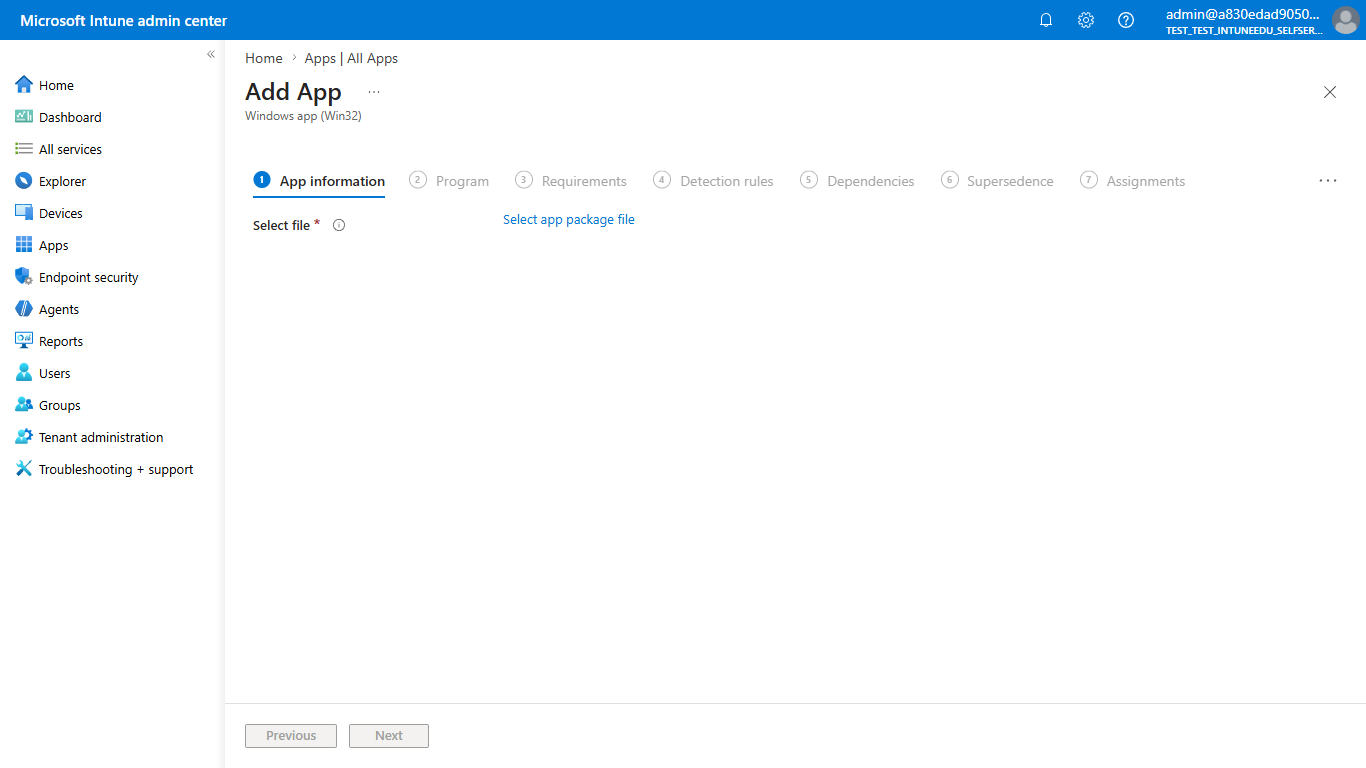
For a Win32 app already in Intune, open it, go to Properties, and click Edit next to Supersedence. Setting this up takes the Relate permission under Mobile apps. The built-in Application Manager role has it.
Chains and limits
Supersedence chains. If B supersedes A and C supersedes B, then C wins over both. Microsoft caps a supersedence graph at about 10 apps, and its own docs say 10 in one spot and 11 in another. Retire old versions before the chain gets that long.
Auto-update for Available apps
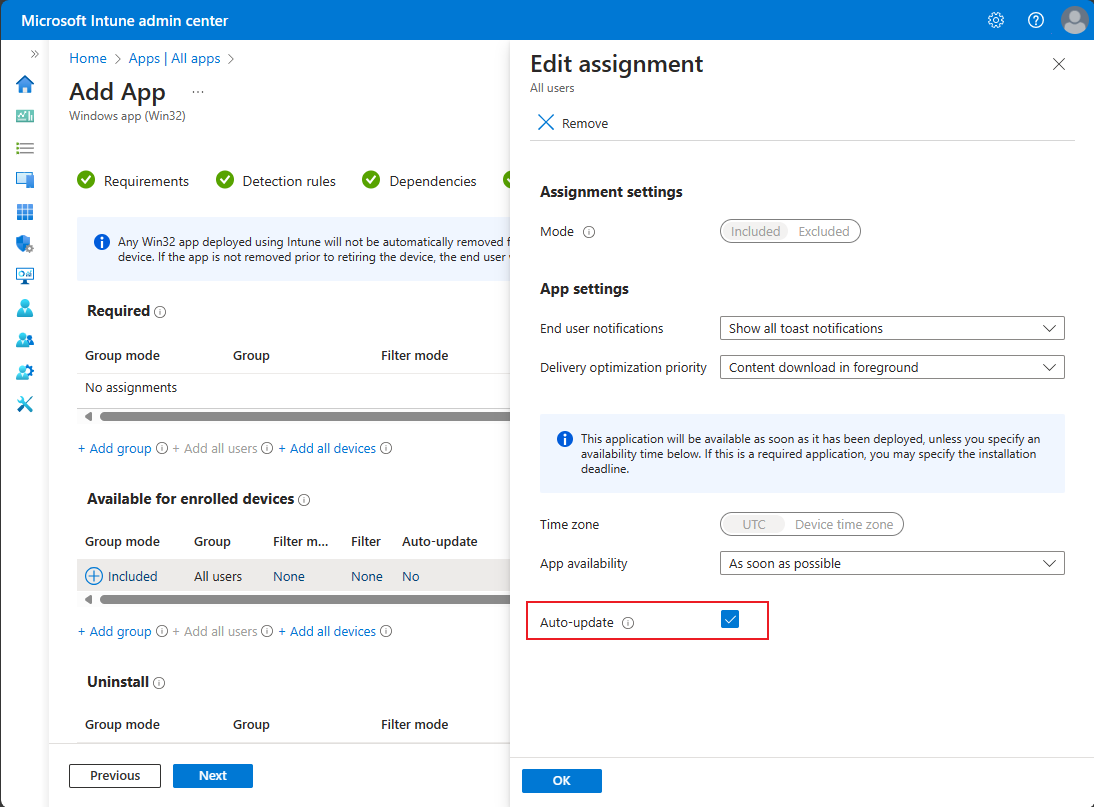
Required apps upgrade on their own. Available apps need one more step. Edit the new app's Available for enrolled devices assignment and tick Auto-update.
- It only updates users who installed the old app from Company Portal.
- It takes two check-ins, roughly 8 to 16 hours, and the user has to be signed in.
- Changing that assignment later, like removing the user from the group, wipes the user's consent. Adding them back does not bring auto-update back.
Dependencies
A dependency is something the app needs before it can install, like a Visual C++ runtime or .NET. Add them on the Dependencies step of the wizard, or under Properties for an app you already have.
- Automatically install set to Yes: Intune installs the dependency first if it is missing. You do not have to assign the dependency on its own.
- Automatically install set to No: Intune only checks for it. If it is missing, the main app is not even attempted.
Dependencies have to be Win32 apps too. One dependency graph can hold up to 100 apps, counting dependencies of dependencies. Intune installs the deepest dependencies first, but it does not promise any order between apps at the same level. If runtime B needs runtime A, make A a dependency of B instead of listing them side by side.
Dependencies do nothing on uninstall. Removing the main app leaves the runtime behind. You also cannot delete an app while another app depends on it.
When the two collide
Supersedence wins over dependencies. If app A depends on B and you supersede B with C, Intune reports a conflict. If C replaces A, B stays on the device. Keep both simple, and do not supersede a shared runtime that other apps depend on.
See the whole picture
Open any Win32 app and click Relationship viewer, right next to Device install status. It draws the app with everything it depends on and everything it supersedes. Single lines are dependencies, and double lines are supersedence.
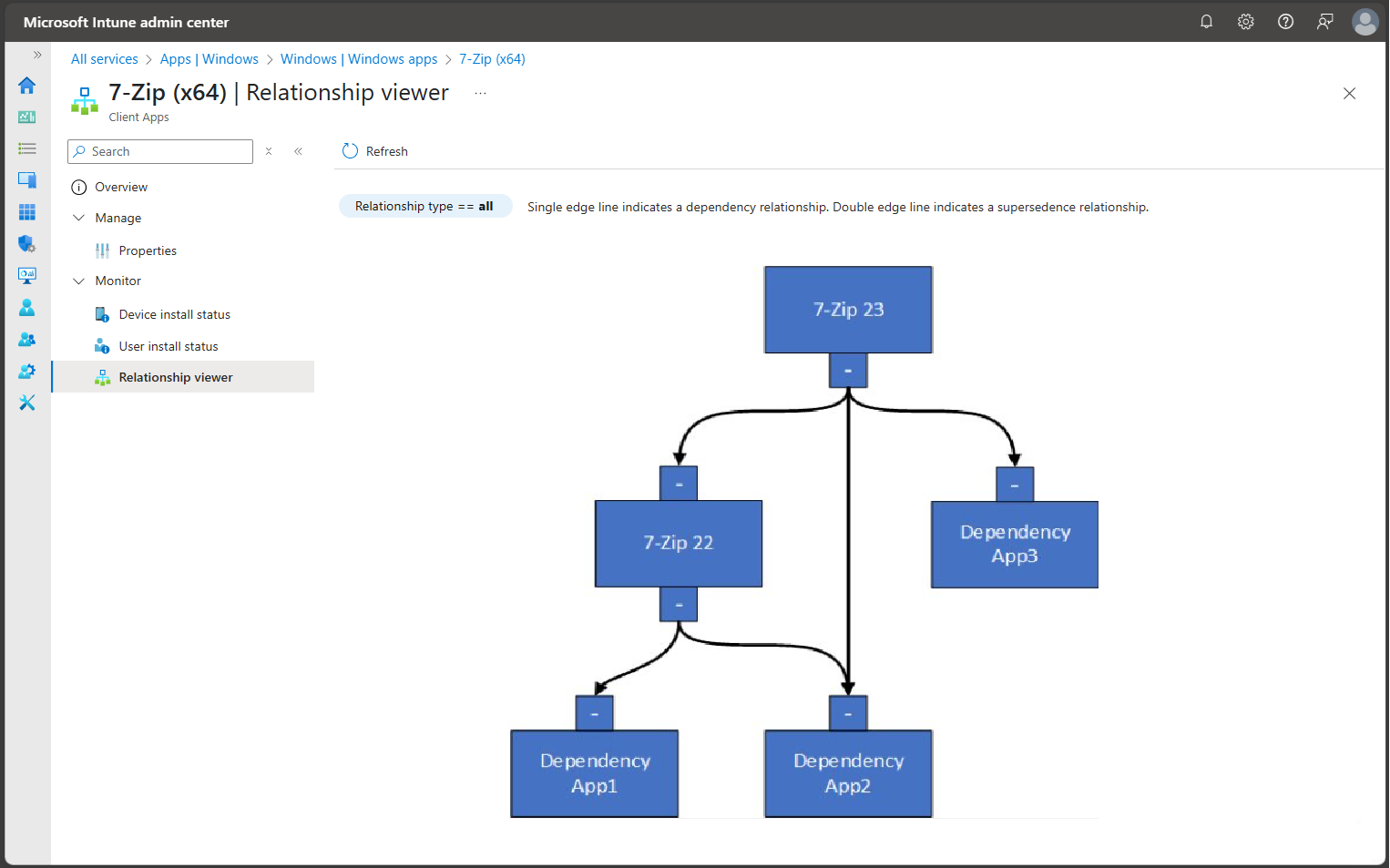
Install status only shows for apps that are assigned. A dependency that rides along with Automatically install has no numbers of its own unless you assign it too.
When it goes wrong
- Old app still there after a replace: Its detection rule still finds it. Intune uninstalls, checks again, sees it, and refuses to install the new app. Fix the detection rule or the uninstall command.
- Uninstall command fails: Environment variables like %ProgramFiles% are not expanded in the uninstall command. Use a wrapper script.
- PowerShell scripts misbehave: powershell.exe in the install or uninstall field runs as 32-bit. Use %SystemRoot%\Sysnative\WindowsPowerShell\v1.0\powershell.exe for 64-bit.
- 0x87D1041C: The app installed, but detection could not find it afterward. Apps that update themselves and no longer match the detection version cause this a lot.
- One or more dependent apps failed to be installed: Check the dependency's own install status, or read the logs.
- Pending a device reboot: An earlier install asked for a hard restart. Nothing else installs until the PC restarts.
- A dependency that fails gets three tries, five minutes apart, then waits for the daily re-check.
On the PC, AppWorkload.log in C:\ProgramData\Microsoft\IntuneManagementExtension\Logs shows detection, applicability, and the install for each app. Open it with CMTrace. To speed things up, sync from Company Portal under Settings, or restart the Microsoft Intune Management Extension service. When an install fails, Collect diagnostics in the install details pulls the logs for you.
A clean Win32 app supersedence routine
Upload the new version, check its detection rule, and add supersedence with Uninstall previous version set on purpose. Assign the new app to the same groups and tick Auto-update on Available assignments. Check the Relationship viewer before you go home.
What can we learn as a person
The supersedence case that gets me is the replacement that never finishes. Intune uninstalls the old app, checks again, and the detection rule still says it is there. So the new one never installs.
I did that with exercise for years. New routine, new shoes, the full replacement. Then I checked myself with the old detection rule, the one that said I am not a gym person, and it still came back true. The new version never got a chance.
What old detection rule are you still running on yourself? And what would it look for if you rewrote it for the version you are trying to install?