

I broke a client's staging site testing a plugin I was sure was harmless. Not the live site, thankfully, but close enough that my stomach dropped. The fix was not a better backup habit. The fix was never testing on anything shared again. That is what pushed me into running a development WordPress in Docker, where the worst thing I can break is a folder I can delete and rebuild in about forty seconds. Here is the setup I actually use, plus how to turn on the REST API so an outside editor can talk to it.
What a development WordPress in Docker looks like
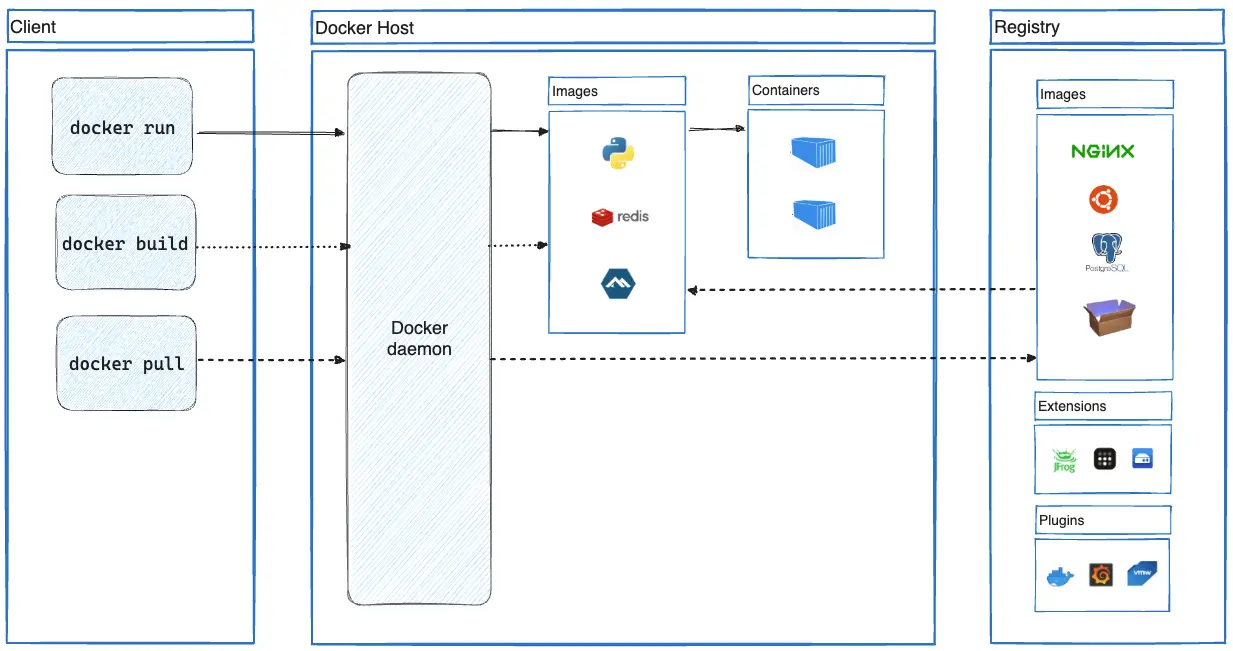
Two containers. One runs WordPress with PHP and Apache. The other runs the database. They talk to each other on a private network that Docker creates for you, and only the WordPress container gets a port on your machine. Your theme and plugin folders live on your real disk, so your editor opens real files.
The reason this beats a local stack like XAMPP is version drift. If the client runs PHP 8.3, you run PHP 8.3 by changing one line. No installers, no PATH surgery, no leftover services running on your laptop six months later.
The compose file
Make an empty folder. Inside it, create docker-compose.yml and paste this.
services:
  db:
    image: mariadb:11
    restart: unless-stopped
    environment:
      MARIADB_DATABASE: wordpress
      MARIADB_USER: wordpress
      MARIADB_PASSWORD: wordpress
      MARIADB_ROOT_PASSWORD: rootpass
    volumes:
      - db_data:/var/lib/mysql

  wordpress:
    image: wordpress:php8.3-apache
    restart: unless-stopped
    depends_on:
      - db
    ports:
      - "8080:80"
    environment:
      WORDPRESS_DB_HOST: db:3306
      WORDPRESS_DB_USER: wordpress
      WORDPRESS_DB_PASSWORD: wordpress
      WORDPRESS_DB_NAME: wordpress
      WORDPRESS_DEBUG: 1
      WORDPRESS_CONFIG_EXTRA: |
        define('WP_ENVIRONMENT_TYPE', 'local');
    volumes:
      - wp_data:/var/www/html
      - ./theme:/var/www/html/wp-content/themes/mytheme
      - ./plugins:/var/www/html/wp-content/plugins/myplugin

volumes:
  db_data:
  wp_data:
Those passwords are garbage on purpose. This never leaves your machine, and nothing is published to the internet. If you ever point this at something real, change every one of them.
That WP_ENVIRONMENT_TYPE line matters more than it looks. I will come back to it when we get to the API.
Bring it up
From that folder, run the following.
mkdir theme plugins
docker compose up -d
First run pulls the images, so give it a minute. After that it starts in a couple seconds. Open http://localhost:8080 and you get the WordPress install screen. Pick a language, name the site, create your admin user, and you are in.
Useful commands while you work:
docker compose logs -f wordpressto watch PHP errors as they happen.docker compose exec wordpress bashto get a shell inside the container.docker compose downto stop everything and keep your data.docker compose down -vto stop and delete the database, which is your reset button.
That last one is the whole point. Breaking the site stops being scary when a clean rebuild costs you one command and a fresh install wizard.
Why your theme folder is mounted separately
There are two kinds of storage in that compose file, and mixing them up is the most common way people lose work. Named volumes like wp_data are managed by Docker and live somewhere you do not really browse. Bind mounts like ./theme point at a real folder on your disk.
WordPress core goes in the named volume because you do not edit core. Your theme and your plugin go in bind mounts because you edit those constantly. Save a file in VS Code, refresh the browser, see the change. No copying into the container, no rebuild.

One caveat on Windows and Mac. Bind mounts cross a filesystem boundary and they are slower than native disk. For a theme and a plugin you will never notice. If you ever bind mount all of wp-content including a few thousand uploads, you will.
Turning on the API for your editor
The REST API is already running. It ships with WordPress and you do not install anything. Hit http://localhost:8080/wp-json in a browser and you will see a wall of JSON describing every route. What you actually need is a way to authenticate, because reading public posts is free but creating and editing is not.
Application Passwords are built into WordPress and they are the right tool here. Go to Users > Profile in the admin, scroll to Application Passwords, type a name like editor, and select Add New Application Password. WordPress shows you a password with spaces in it exactly once. Copy it then, because it never shows it again.
Here is the part that sends people in circles. If that Application Passwords section is missing entirely, it is not broken. WordPress hides it when the site is not on HTTPS and the environment type is not local. Your container is plain HTTP on port 8080, so without that WP_ENVIRONMENT_TYPE line from earlier, the section simply never renders. That one define is what makes it appear.
Talking to it
Authentication is HTTP Basic. Username is your WordPress login, password is the application password, spaces included. Read your posts first to prove the credentials work.
curl -u "dave:abcd EFGH ijkl MNOP qrst UVWX" \
  "http://localhost:8080/wp-json/wp/v2/posts?context=edit"
Then create a draft, which is the call an editor integration actually cares about.
curl -X POST \
  -u "dave:abcd EFGH ijkl MNOP qrst UVWX" \
  -H "Content-Type: application/json" \
  -d '{"title":"Written from my editor","content":"Hello from curl.","status":"draft"}' \
  "http://localhost:8080/wp-json/wp/v2/posts"
You get the created post back as JSON, including its id. From there every other route follows the same shape. Media uploads go to /wp/v2/media, categories to /wp/v2/categories, pages to /wp/v2/pages. Add ?context=edit when you want the raw fields instead of the rendered ones.
The two things that will bite you
Permalinks come first. If Settings > Permalinks is set to Plain, the pretty /wp-json/ route can return a 404 and you will swear the API is off. Set permalinks to Post name and it starts working. If you are stuck, http://localhost:8080/?rest_route=/wp/v2/posts is the fallback form that works regardless.
Custom meta comes second. The REST API will not write a meta field it does not know about. Plugins like Yoast register their own fields, but anything custom of yours needs register_post_meta with show_in_rest set to true. Skip that and your write silently does nothing, which is a genuinely annoying way to lose an afternoon.
Wrapping up
A development WordPress in Docker is one compose file, one folder, and two commands. Named volumes hold the parts you do not touch, bind mounts hold the code you edit, and docker compose down -v gives you a clean slate whenever you want one. Set the environment type to local so Application Passwords show up, fix your permalinks, and the REST API will take instructions from whatever editor or script you point at it. Copy the folder, change the port, and you can run a second site next to the first without either one knowing.
What can we learn as a person
Something clicked for me about compose files that has nothing to do with Docker. A compose file does not list steps. It describes the end state you want, and then the tool figures out how to get there. Install this, then configure that, then start this service in this order is a plan. WordPress running with a database attached is a goal.
I am a plan person by default, and I have watched it hurt me. I build the whole staircase in my head, and then step four goes sideways because a person got sick or a meeting moved, and I do not gracefully adapt. I stall. The plan was the thing I was committed to, so when the plan broke, I treated it like the goal broke. Those are not the same, and I keep having to relearn it.
Goals bend. A goal like get healthier survives a missed workout. A plan like run four miles every morning at six dies the first morning you oversleep, and worse, it takes your motivation with it, because now you are someone who failed. Same destination, completely different failure behavior. The rigid version breaks on contact with an ordinary Tuesday.
I am not against planning. Steps are how anything gets done. But I am trying to hold the plan loosely and the goal tightly, instead of the other way around. So what is something you gave up on recently, and was it really the goal that failed, or just the route you picked to get there?