
A manager walked over to my desk holding a brand new Android phone and asked me to "put it in the business manager." I knew what they meant, sort of, but that phrase does not map to any single button in Intune. Android has a whole family of ways to run a device, and the words people use for them are a mess. Business manager, work profile, kiosk, COPE, COSU, fully managed. So lets untangle the Android Enterprise management types, figure out what each one actually does to a phone, and how you pick the right one before you hand hardware to a human.
First, the thing everyone calls "the business manager"
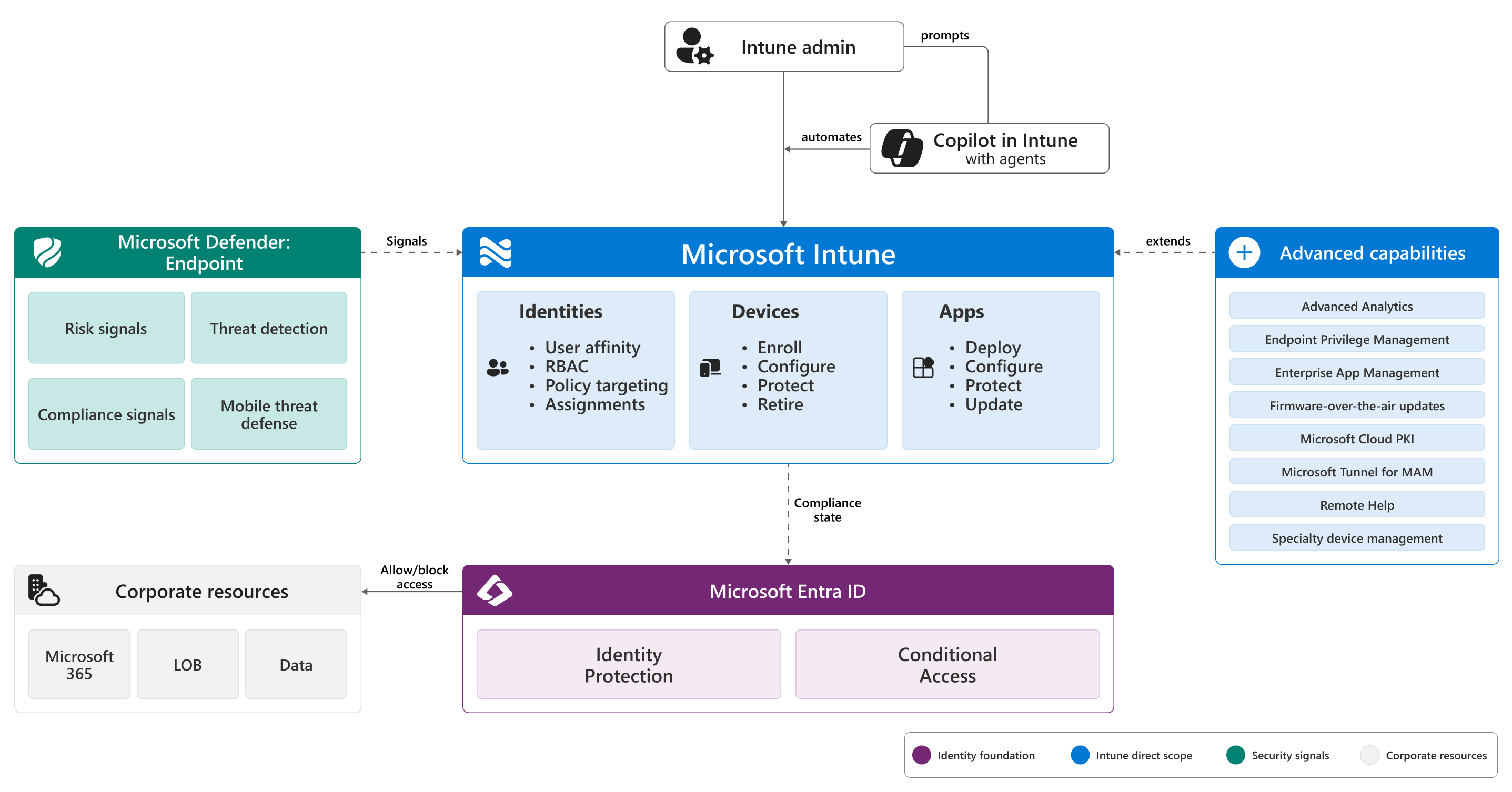
When someone says business manager, they almost always mean Managed Google Play. It is Google's enterprise app store, and it is the connection that makes every other Android option possible. You link your Intune tenant to a managed Google Play account once. After that, Intune can push apps, enforce policy, and enroll corporate devices.
You set it up under Devices > Enrollment > Android tab > Managed Google Play. As of August 2024 you can bind it with your Microsoft Entra account instead of a throwaway Gmail address, and that is the path Microsoft now recommends. The moment you connect, Intune drops five helper apps into your console automatically. Intune, Authenticator, Company Portal, Managed Home Screen, and Microsoft Launcher. You did not add them. They just show up because the plumbing needs them.
The Android Enterprise management types, in plain English
There are four live options, and they split cleanly on one question. Who owns the phone, and does the person get a personal side? Here is each one without the acronym soup.
- Personally owned work profile (BYOD). The employee owns the phone. Android creates a separate, walled-off work profile with its own apps and its own briefcase badge. You manage that container. You never touch their photos, their texts, or their personal apps.
- Corporate-owned work profile (COPE). The company owns the phone, but you still give the person a real personal space. You get more control than BYOD, they still get a private life on the device. This is the "here is your work phone, but check your kid's soccer schedule on it too" option.
- Fully managed (COBO). The company owns it and it is a work device, full stop. No personal profile. You control the whole phone, top to bottom.
- Dedicated (COSU). The company owns it and no single person owns it. Think kiosk, scanner, digital signage, a tablet bolted to a wall. It usually locks to one app or a small set of apps. Nobody signs in with their own identity.
There is a fifth name you will still hear, Android device administrator, or DA. That was the old way, before work profiles existed. Microsoft deprecated it, and it no longer works on devices that have Google Mobile Services. If someone hands you a DA setup, treat it as legacy and plan your move off it.
One table to keep them straight
| Type | Who owns it | Personal space? | Best for | Wipe on exit |
|---|---|---|---|---|
| Work profile (BYOD) | Employee | Yes, the whole phone is theirs | Personal phones used for work | Only the work container |
| Corporate work profile (COPE) | Company | Yes, a private profile | Company phones people also live on | Company data, personal stays |
| Fully managed (COBO) | Company | No | Dedicated work phones per person | Whole device |
| Dedicated (COSU) | Company | No user identity at all | Kiosks, scanners, signage | Whole device |
Personally owned work profile, the polite one
BYOD work profile is the option that respects the line between work and life. Android literally builds a second sandbox on the phone. Work apps go in there with a little badge. Your management stops at the edge of that sandbox. You can wipe the work profile clean and the person keeps every personal thing untouched.
This is the sweet spot for staff who already have a phone they love and do not want a second one in their pocket. It also pairs well with app protection policies if you want to go even lighter. I wrote about that split in Intune devices vs app policies if you are weighing full enrollment against just protecting the apps.
Corporate-owned work profile, the balanced one
COPE is for company hardware that you still want to feel humane. The org owns the phone, so you get stronger controls than BYOD, including tougher password rules. The employee still gets a private profile for personal apps and accounts. It is a good middle path when you are buying the phones but you do not want to run a police state.
One catch worth knowing up front. On COPE devices running newer Android, factory reset protection can require the original Google account after a reset. Plan your reprovisioning so you are not locked out of your own fleet.
Fully managed, the total one
Fully managed, or COBO, is a corporate phone assigned to one person with no personal side. You own the whole device and the whole experience. By default the user cannot install anything outside your approved apps, and they cannot remove what you require. You can open the door to the full Play Store if you want, but the default is locked down.
Reach for this when the phone is a work tool and only a work tool. Field techs, drivers, frontline staff who get a device for the job and nothing else.
Dedicated devices, the kiosk one
Dedicated, or COSU, is the type with no human owner. The device is the point, not the person. It usually pins to a single app or a small locked set through the Managed Home Screen. A checkout tablet, a warehouse scanner, a check-in kiosk, a screen showing a dashboard all day.
If you run these on rugged hardware, I have gone deep on that world in enrolling Zebra scanners into Intune and Zebra kiosk mode. Same COSU idea, real device warts and all.
How you actually get devices enrolled
Picking a management type is half the job. The other half is provisioning. For the corporate types, the common enrollment paths are:
- QR code. Factory reset the device, tap the first screen a few times to open the reader, scan the profile. Best for small batches.
- Google Zero Touch. Buy from an authorized reseller and provisioning starts the instant the user powers on. Best for scale.
- Samsung Knox Mobile Enrollment. The Samsung equivalent of zero touch for Knox devices.
- Token entry. On the Google sign-in screen you type
afw#setupinstead of an email, then enter a token. Handy when QR and NFC are off the table.
BYOD work profile is the odd one out. It needs no factory reset. The person installs Company Portal, signs in, and Android builds the work profile in place. That single difference drives a lot of real world decisions.
The factory reset line you cannot ignore
Here is the single fact that trips people up most. Converting a phone into a corporate mode wipes it. You cannot bolt COPE, fully managed, or dedicated onto a phone that already has stuff on it. It has to start clean. BYOD is the exception, because the work profile is added, not baked in.
| Management type | Factory reset required first? |
|---|---|
| Personally owned work profile (BYOD) | No |
| Corporate-owned work profile (COPE) | Yes |
| Fully managed (COBO) | Yes |
| Dedicated (COSU) | Yes |
Blocking the types you do not want
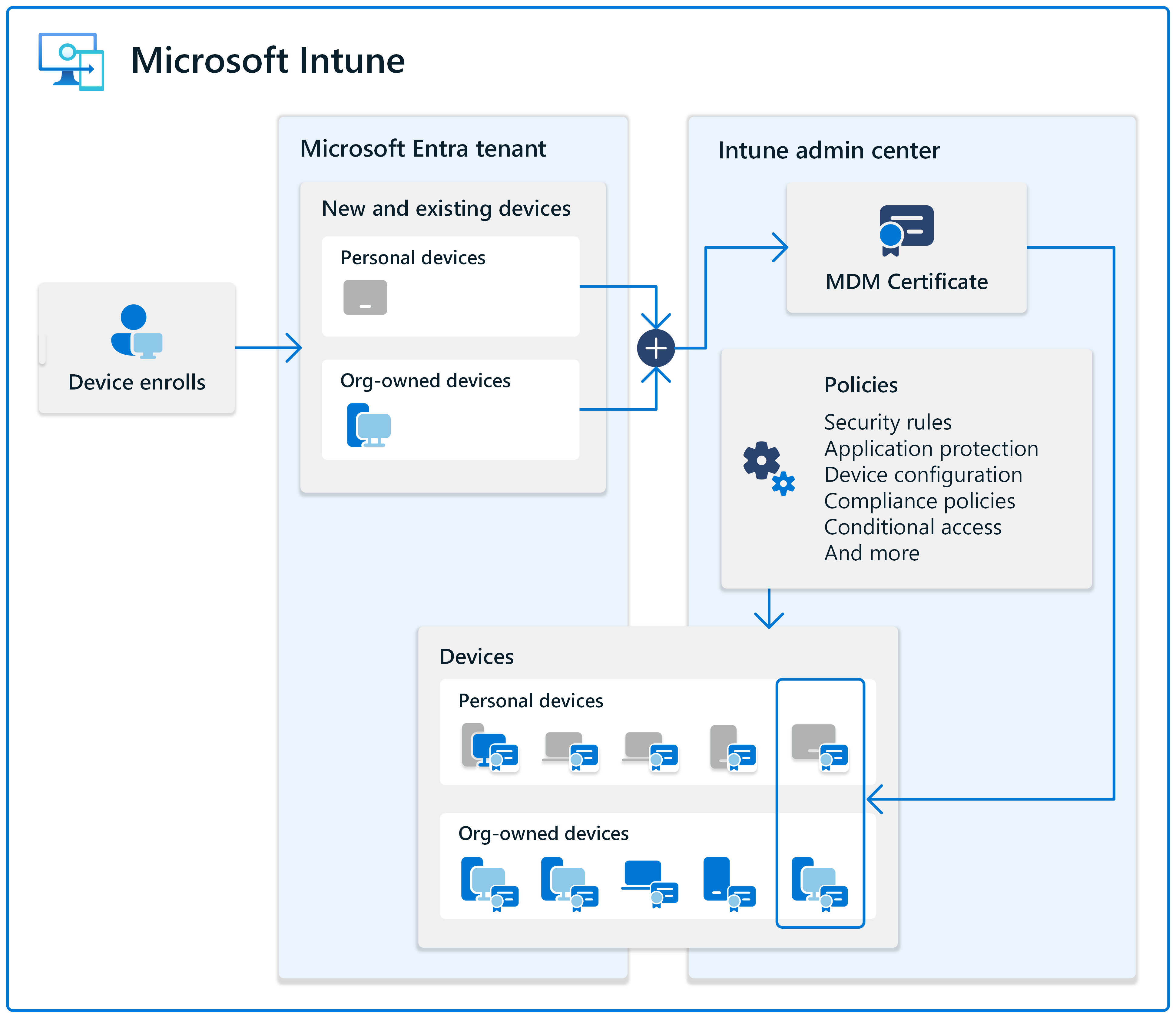
You do not have to allow everything. Enrollment restrictions let you decide which Android flavors are even permitted. Under Devices > Enrollment > Device platform restriction, you can allow or block the Android platform, block specific manufacturers, set OS version ranges, and block personally owned devices entirely. If your org is corporate-only, turn personal ownership off and BYOD stops at the door.
Putting it together
The Android Enterprise management types come down to two questions. Who owns the phone, and does the person deserve a personal side. Personal phone, use BYOD work profile. Company phone people also live on, use COPE. Pure work phone, go fully managed. No owner at all, go dedicated. Managed Google Play is the connection under all of it, corporate modes need a clean device first, and enrollment restrictions let you slam the door on anything you did not choose. Get those four calls right and the rest of Android management gets a lot quieter.
What can we learn as a person
The factory reset rule stuck with me. To turn a phone into a fully managed or corporate device, you cannot just layer the new rules on top of the old mess. The phone has to be wiped first. A clean slate is not optional. It is the entry fee for becoming something different.
People are not so different. I have tried to bolt a big life change onto a life I never cleared out first. New habit, same old clutter underneath. New boundary, same old patterns still running in the background. It usually failed, and it failed for the same reason a corporate profile fails on a dirty device. There was too much left over to build cleanly on top of.
BYOD is the gentler truth on the other side. Some changes really are additive. You can keep your whole self and just build a small walled space for the new thing, and it coexists fine. The hard part is honesty about which kind of change you are facing. Some things you can add to who you already are. Some things need you to wipe the slate and start clean, even though it costs you everything that was already on there. So which change in your life are you trying to bolt on, when what it actually needs is a reset?